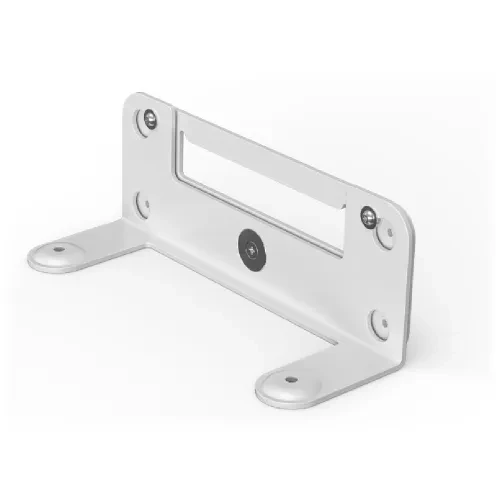
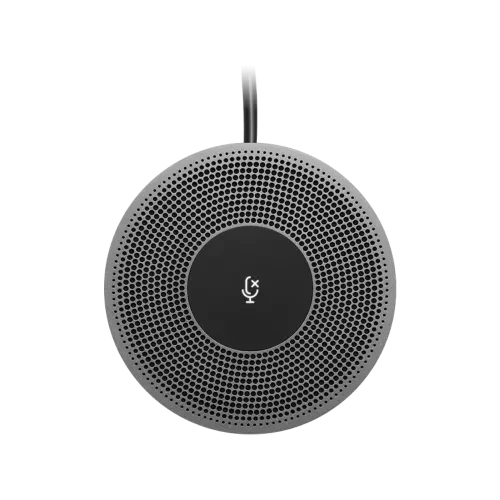
Transform your conference room with the Logitech SmartDock, a high-performance, user-friendly solution designed for Microsoft Surface Pro and optimized for Skype for Business. Launch meetings instantly with a single touch, enjoying a rich, collaborative experience through the familiar Skype for Business interface. IT admins will love the easy deployment and management of the Windows 10 Skype meeting app. Backed by a 1-year warranty, the Logitech SmartDock is perfect for professional video conferencing.
The Logitech SmartDock is tailored for Skype for Business, seamlessly integrating with your existing video displays and Skype-certified video cameras. Start meetings effortlessly and enjoy crystal-clear communication in any conference room.
The Logitech SmartDock doubles as an AV control console and a powered, secure tablet mount with a Kensington security slot for added protection. Leave your Microsoft Surface Pro 4 unattended with confidence, offering convenience for meeting organizers and peace of mind for IT teams.
With HDMI for 1080p displays, three USB ports, Gigabit Ethernet, and a headset jack, the Logitech SmartDock provides all the connectivity you need. The optional Extender Box keeps your conference table clean and clutter-free.
Share presentations or demos effortlessly by connecting your laptop via the HDMI input on the Logitech SmartDock. Present content directly from your personal device with ease.
Microsoft Surface Pro 4 with Core i5 or Surface Pro with Core i5 or higher (2017)
Microsoft Windows 10 Enterprise
Skype Room System Software
Room resource account for Skype for Business 2015 or later
Internet access via Ethernet with DHCP enabled
External Display or Projector with HDMI input
Logitech ConferenceCam (recommended) or other Skype Certified AV Devices
100-240v AC Power
Ready to experience the Logitech SmartDock in person? Stop by one of our showrooms:
Corporate Office: 39 Kazi Bhaban, 6th Floor, New Elephant Road, Dhaka 1205
Multiplan Showroom: Shop No: 545-546, Level-5, Multiplan Center, New Elephant Road, Dhaka 1205. Our Dhaka team is here to guide you through every feature of the Logitech SmartDock and help you find the perfect video conferencing solution.
Khulna Showroom: HK Tower Computer Market, Shop No: B-3, Level-1, 31 Sir Iqbal Road, Khulna-9100. Our Khulna store offers the same high-quality products and personalized service in a welcoming environment.
Each location provides a hands-on experience, so you can test the Logitech SmartDock’s capabilities before making a decision. Whether you’re in Dhaka or Khulna, TBZ Engineering delivers the tech you need, with service you can trust in Bangladesh.